What Is the Figma-Bubble Integration?
Bubble is a platform that enables no-code application development. By importing frames designed in Figma into Bubble and adding logic, workflows, and database features, you can evolve a prototype into a finished app.

Since the beautiful UI created by designers in Figma can be used directly as the application's frontend, it's possible to bridge the gap between design and development.
Benefits of the Integration
- Import Figma frames as new app pages -- No need to re-code designs from scratch
- Images from Figma are also supported for upload -- Smooth migration of design assets
- Elements created in Bubble are labeled with Figma file names -- Layer structure is preserved
Integration Steps
Preparation in Figma
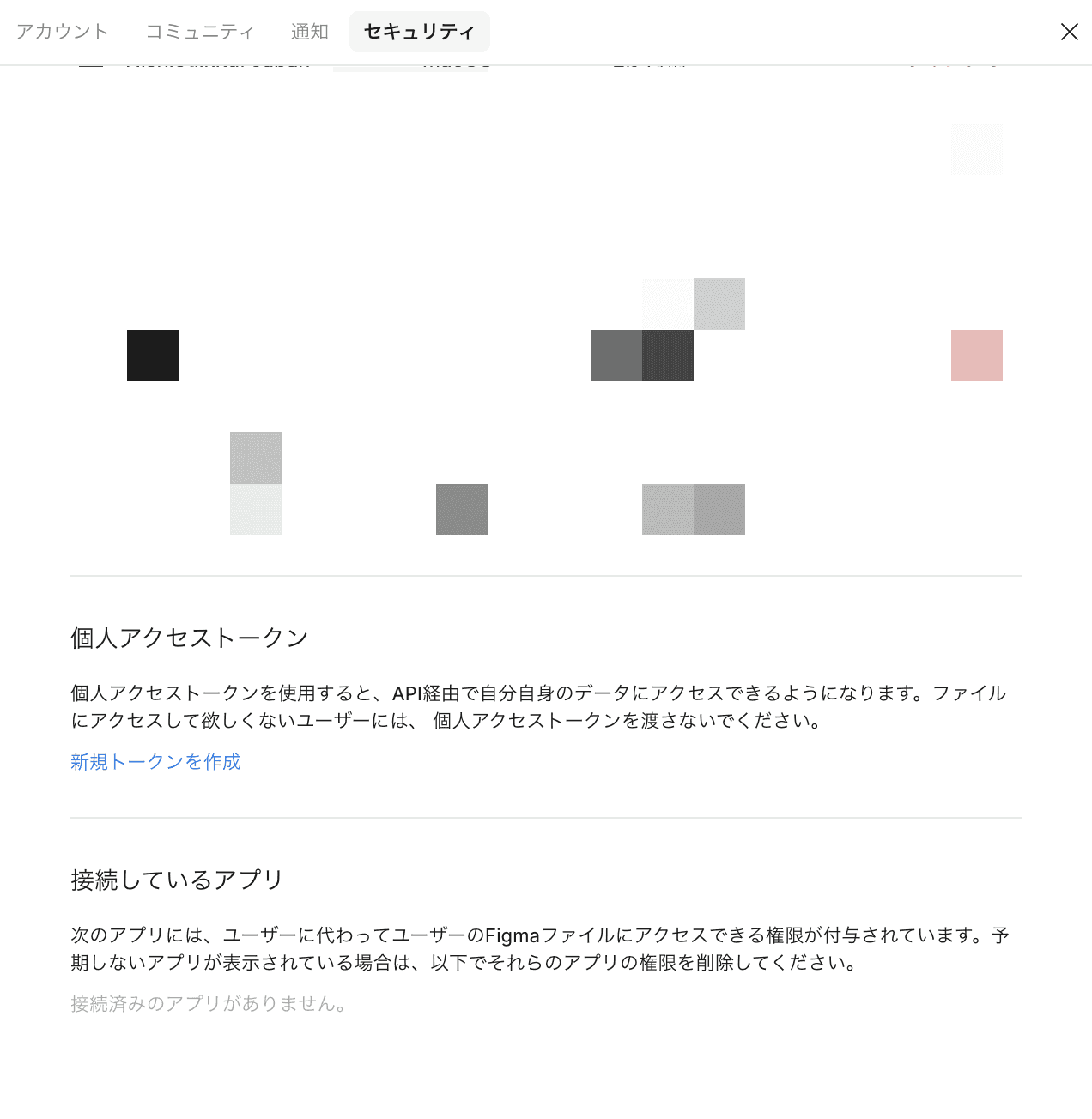
- Get the API key -- Generate a "Personal Access Token" from Figma's settings tab
- Get the file ID -- Copy the file ID from the Figma file URL
Figma URLs have the following structure:
```
https://www.figma.com/file/[File ID]/[File Name]
```
The `[File ID]` portion is what you need.
Setup in Bubble
- Access the settings menu of your Bubble app page
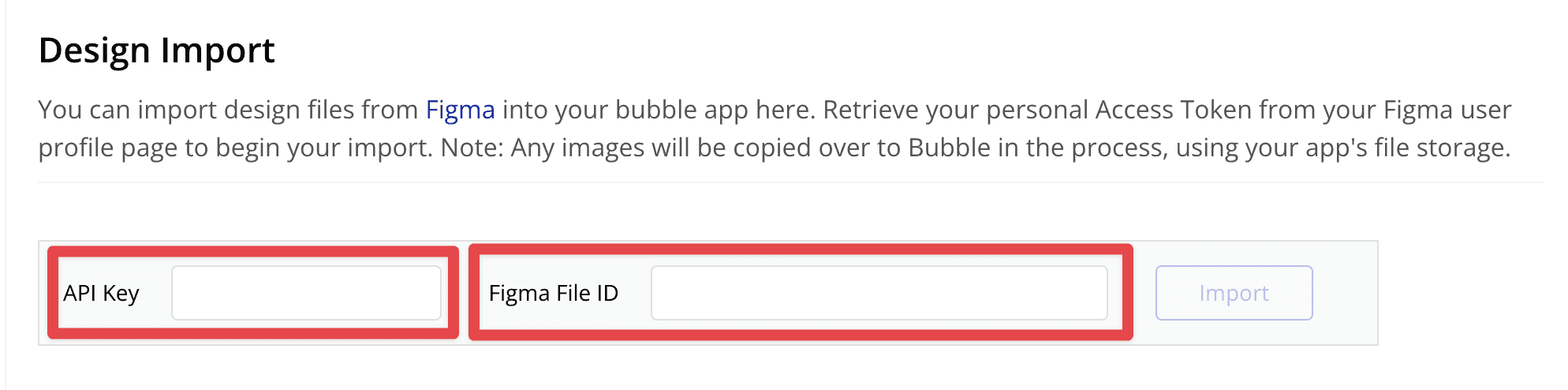
- Select the "Design Import" section
- Enter the Figma API key and file ID
- Execute the import
Recommendations
Clean Up Before Importing
Deleting unnecessary design data before importing prevents extra pages from being generated. Organize and remove frames that don't need to be imported into Bubble (such as wireframe drafts and reference materials) beforehand.
Layer Naming Conventions
Since Figma layer names become Bubble element names directly, establishing clear naming conventions in advance will make your work in Bubble more efficient.
Responsive Design
Designs created in Figma are fixed-size, so responsive settings need to be configured separately on the Bubble side.
Conclusion
The Figma-Bubble integration enables a smooth transition from design to app development. This approach, which streamlines collaboration between designers and engineers and allows building professional-quality applications with no code, is sure to gain even more attention going forward.