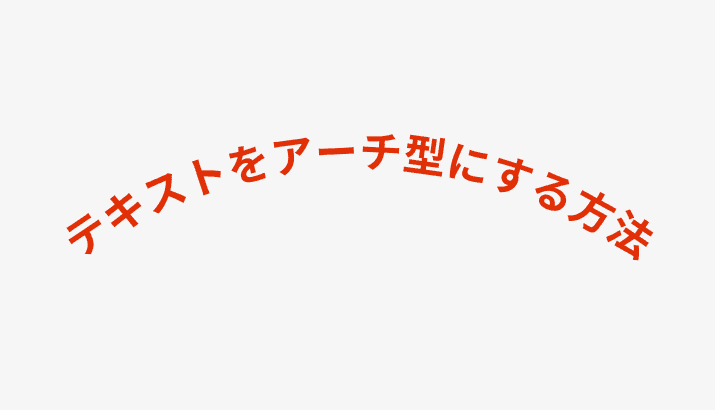
When You Need Arched Text
When creating logos, badges, stamps, or emblems, there are many situations where you want to arrange text along a curve. While Figma's built-in features alone make it difficult to arch text, the "ARC" plugin makes it easy.
How to Use the ARC Plugin
Step 1: Install the Plugin
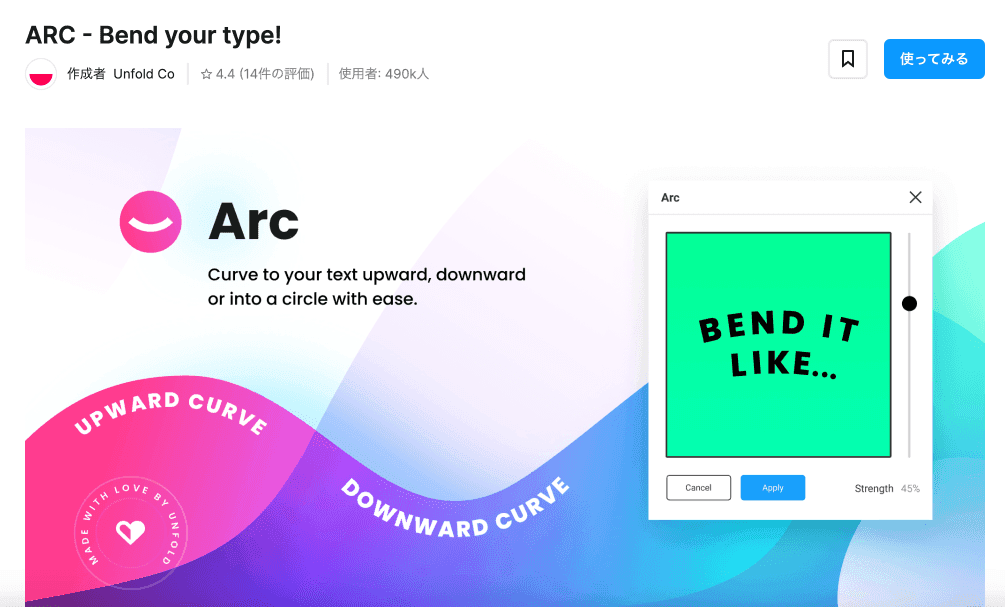
Search for "ARC" on Figma's Community page and install it.
Step 2: Select Your Text
Create the text you want to arch and select it.
Step 3: Launch the Plugin and Adjust
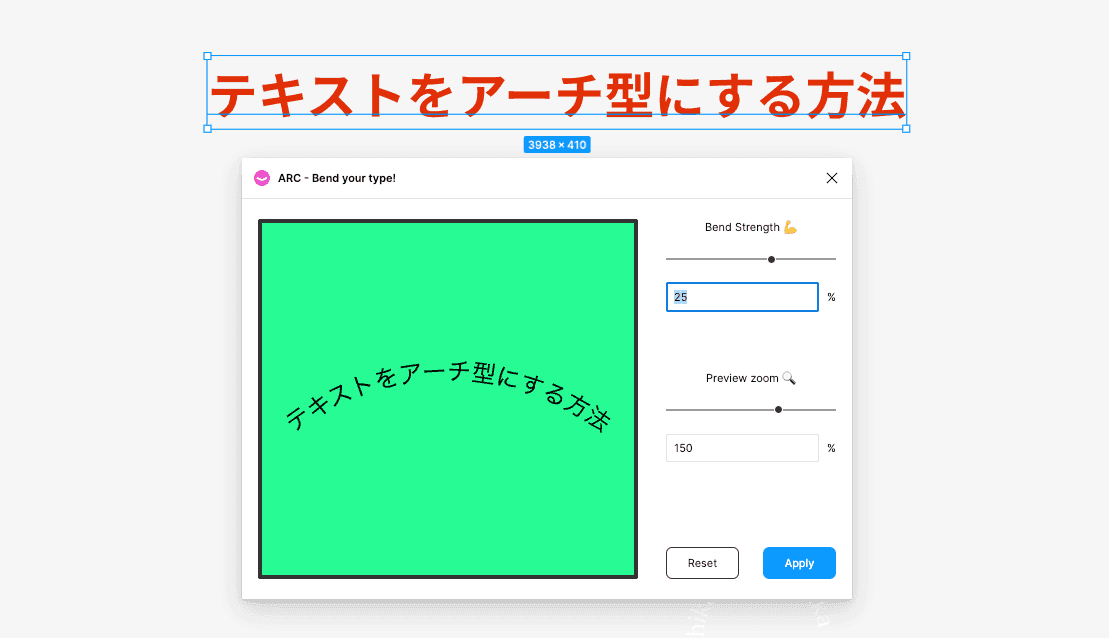
When you launch the ARC plugin, a "Bend Strength" slider appears. Adjust this value to control how much the text curves.
- Positive values -- The text arches upward
- Negative values -- The text arches downward
- Larger values -- The curve becomes more pronounced
Step 4: Confirm with "Apply"
Once you're satisfied with the curve, press the "Apply" button to confirm.
Important Notes
Text Becomes Non-Editable
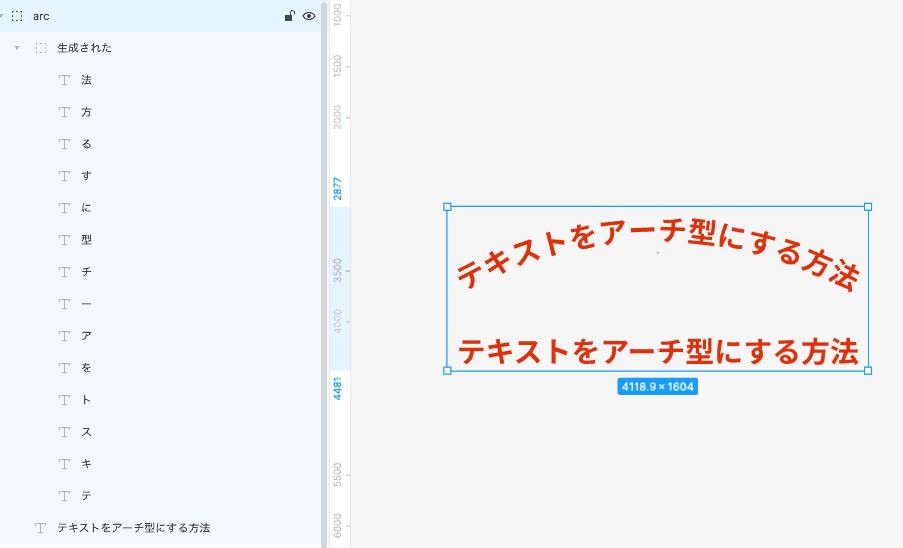
When the ARC plugin is applied, each character is broken apart and regenerated individually. Once you press Apply, the text can no longer be edited as text.
Keep the Original Text
It's strongly recommended to keep a copy of the original text in case you need to make changes. Hide the pre-arch text in a layer so you can quickly readjust if needed.
Use Cases
- Logo design -- Logos with brand names arranged in an arc
- Badges and stamps -- Certification badges and quality assurance marks
- Emblems -- Sports team and organization emblems
- Package design -- Text placement that follows curved product labels
Checklist Before Final Export
The ARC plugin is useful, but before using the result in final artwork, check the following:
- Letter spacing still looks natural after the arch effect
- The text remains readable at small sizes
- The original editable text is kept on a separate layer
- Exported logo or badge edges do not look rough
Figma plugins can change or disappear over time, so check the latest availability on Figma Community before relying on the workflow.
Conclusion
With the ARC plugin, arching text in Figma is easy to achieve. However, keep in mind that text editing is no longer possible after application. Getting into the habit of keeping a copy of the original text will help maintain a smooth design workflow.