
Still Burning Out on Manual Banner Production?
In web advertising and social media marketing, banner image production is an unavoidable task. But outsourcing to a designer takes time and money, while doing it yourself leaves you uncertain about quality — many people face this dilemma.
That's where Banas (by Dezainaz), an AI-powered automatic banner generation tool, comes in.
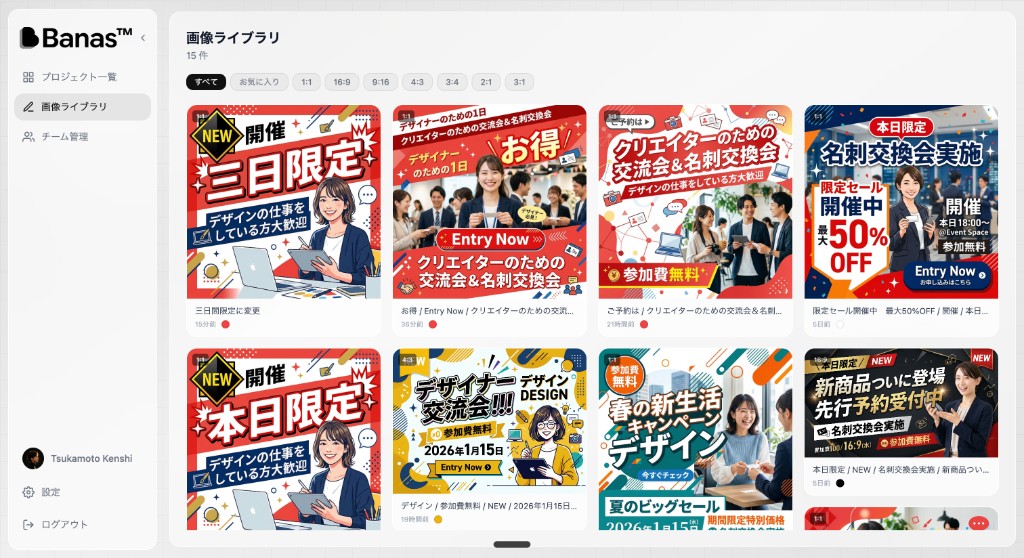
Banas is an AI tool that automatically generates pro-quality banners and thumbnails from text input alone. It manages generated images in a gallery format and supports team collaboration.
This article provides a thorough look at Banas's features, how to use it, and what sets it apart from other tools.
What Is Banas? — 3 Key Features
Banas is an AI image generation and team management platform developed and operated by Dezainaz Inc.
Here are its three key features:
1. AI-Powered Automatic Banner Generation
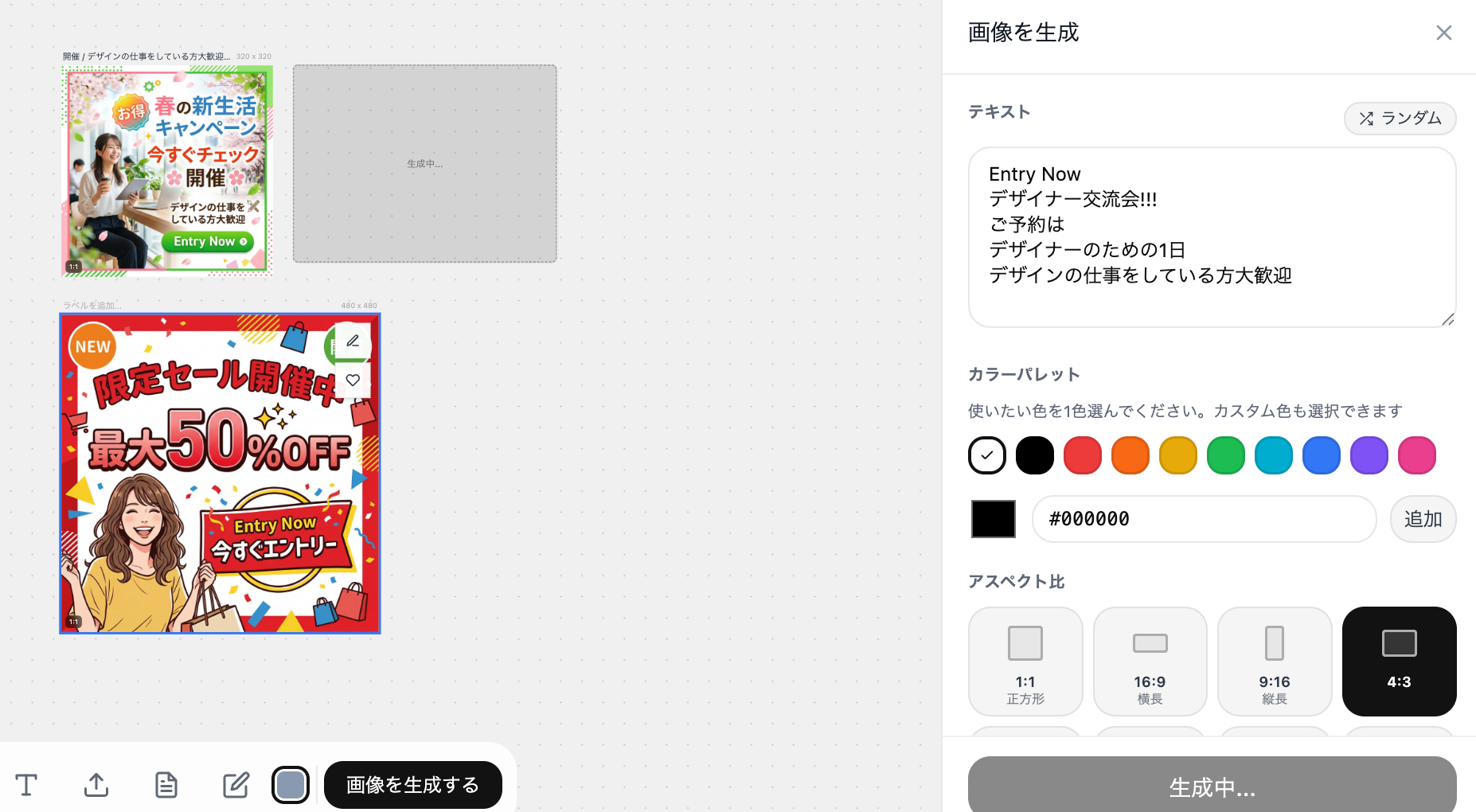
The standout feature of Banas is its AI image generation engine powered by the Gemini API.
- Generate banner images automatically just by entering a text prompt
- Supports a wide range of use cases including ad banners, social media thumbnails, and YouTube thumbnails
- View and manage all generated results in a gallery format
Traditional banner production required multiple steps — opening a design tool, building the layout, placing assets, and exporting. With Banas, text input is all you need.
2. Image Editing and Library
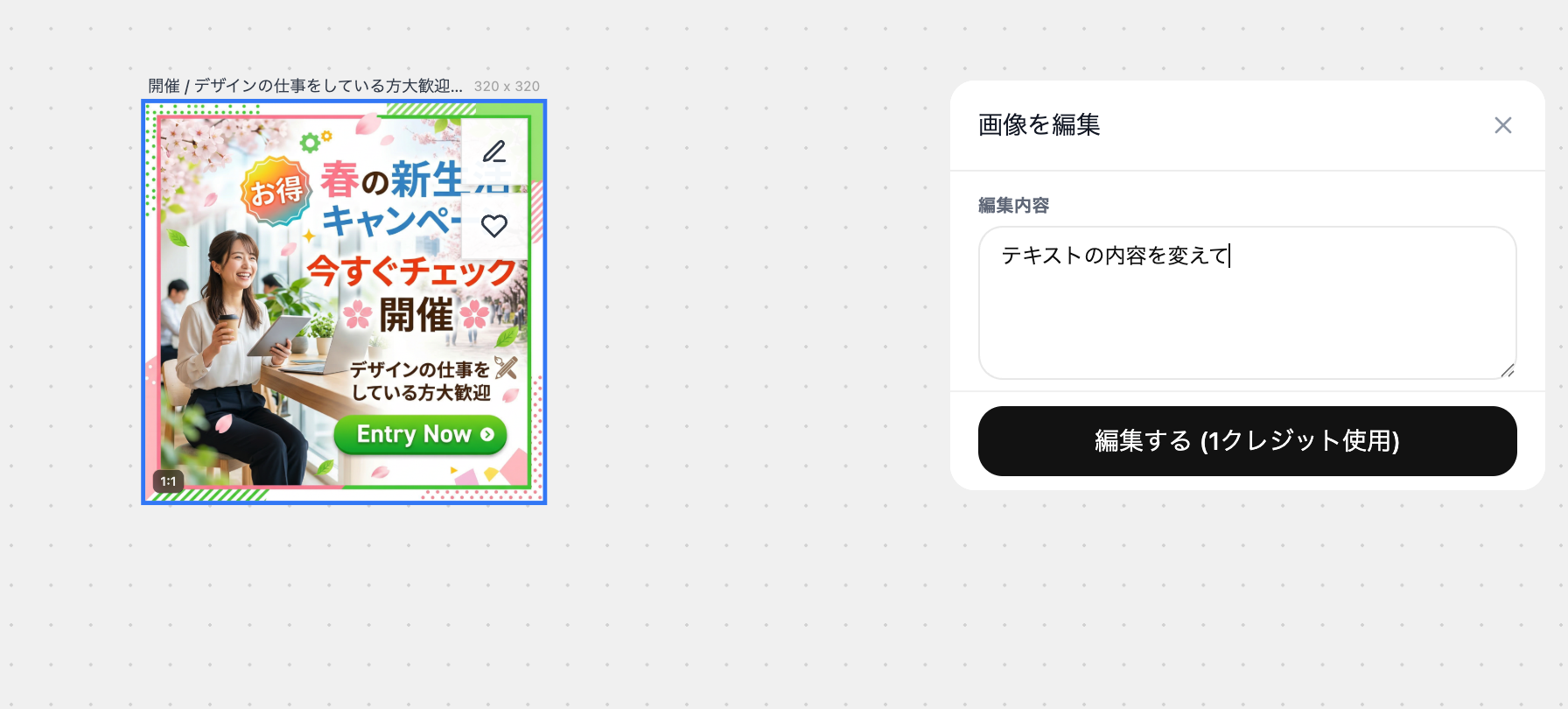
AI-generated images aren't just for immediate use — you can edit them too.
- Basic editing including resizing and adding text
- Organize and manage generated images by project
- Reuse past creations with one click from your generation history
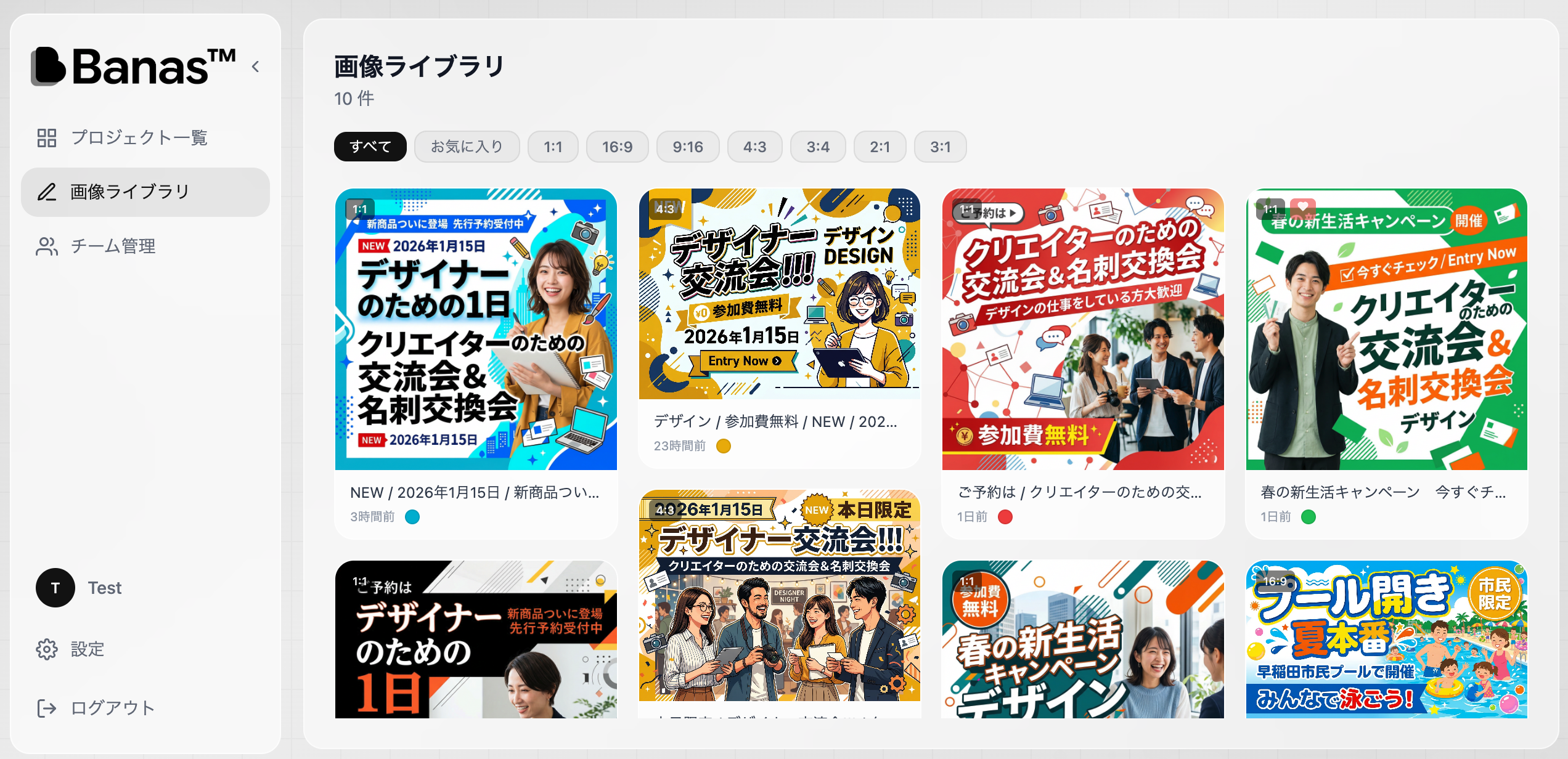
The gallery-style image library lets you centrally manage all your generated banners. Quickly find what you need and download or re-edit it.
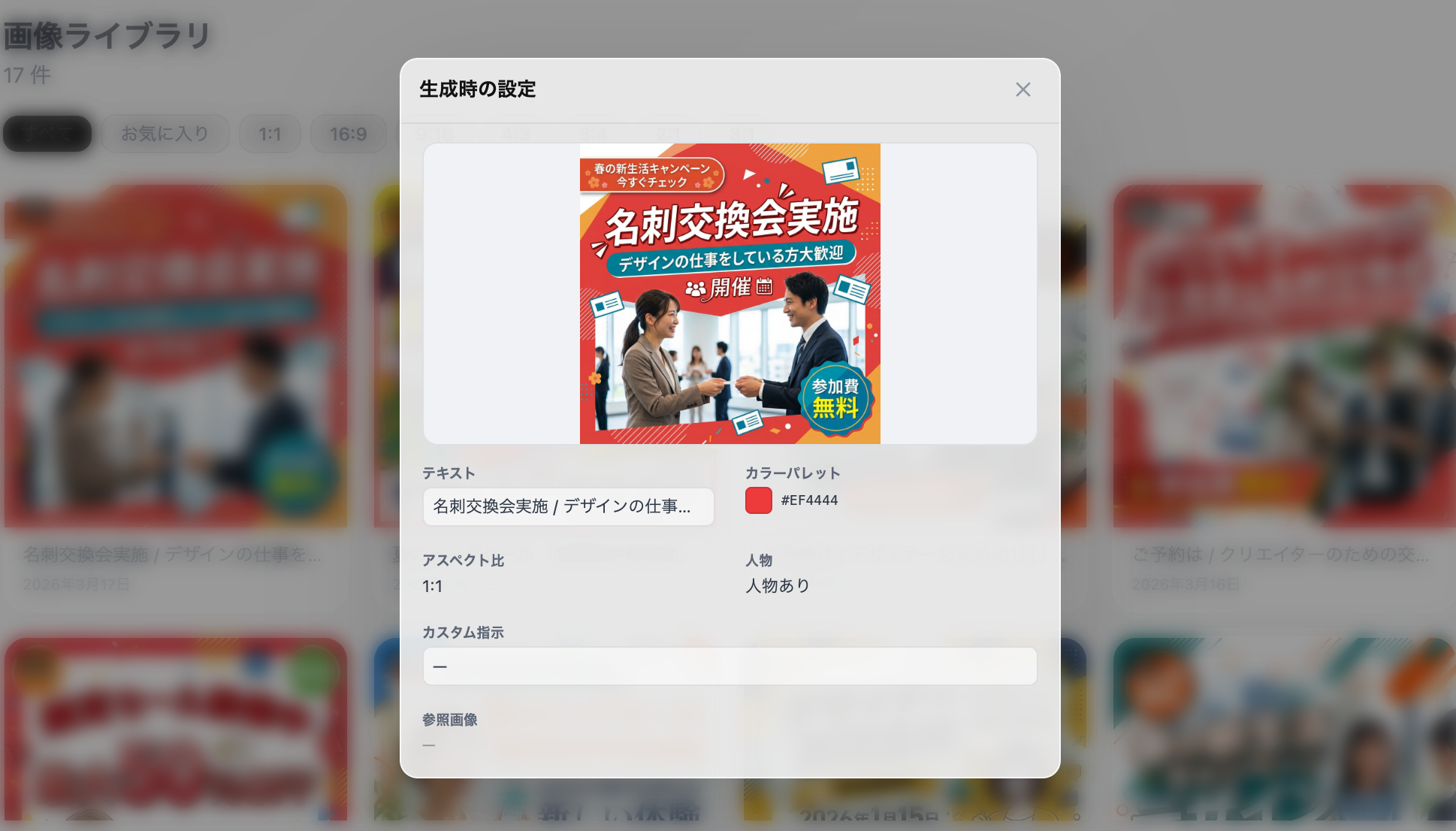
Select an individual image to view its details, download it, or edit it. Since the original prompt is saved with each image, you'll never wonder "how did I make this banner?"
3. Team Management
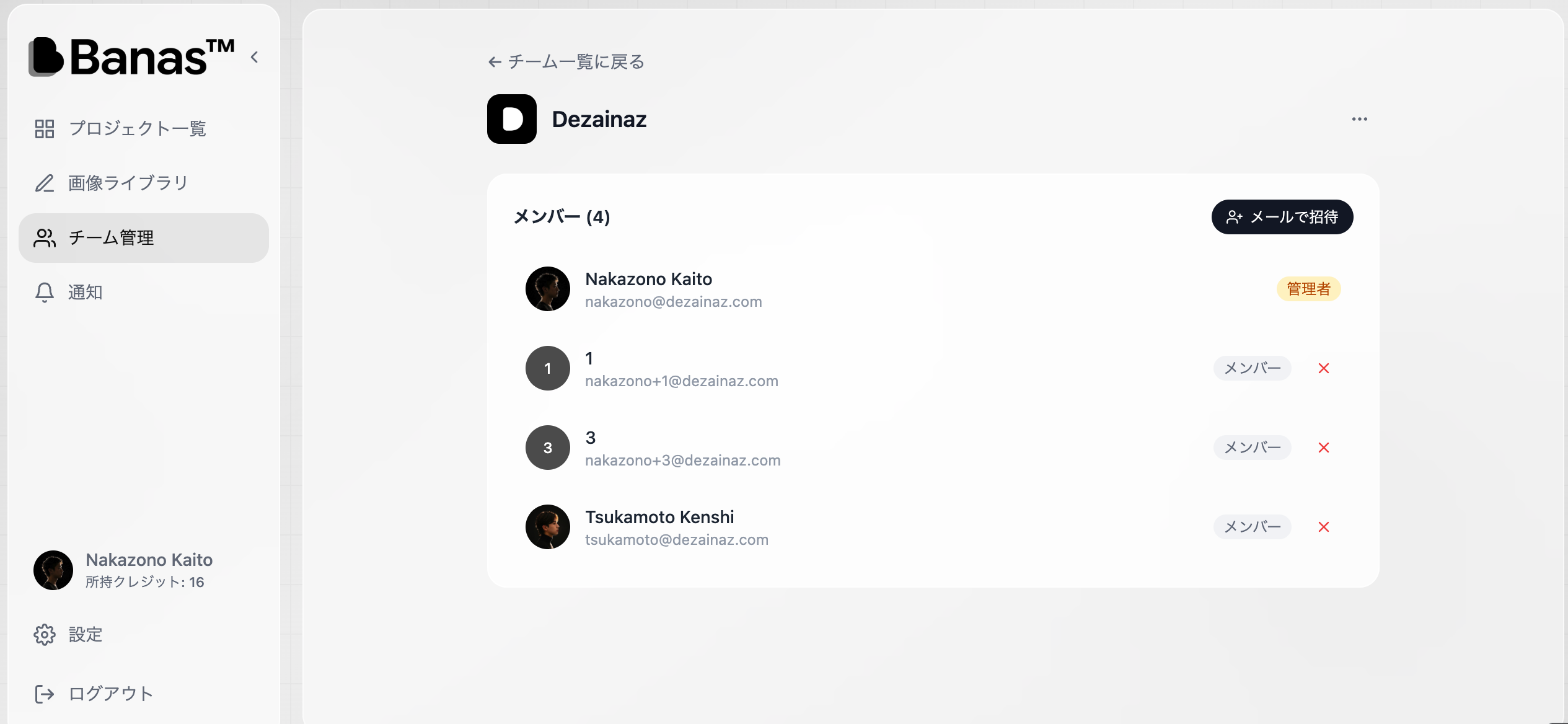
Banas supports not just individual use, but also team collaboration.
- Manage members at the workspace level (similar to Figma's team feature)
- Share all groups and projects within a workspace
- Invite members easily via email address
- Owner/member permission management
Marketing teams and ad operations teams can streamline the workflow of requesting, reviewing, and revising banners. Learn more about Banas.
Who Is It For?
Banas is especially recommended for people facing these challenges:
| Audience | Challenge | How Banas Helps |
|---|---|---|
| Marketers | Outsourcing banner production is costly and slow | Generate instantly with AI, cut costs |
| Social media managers | Creating daily thumbnails is exhausting | Mass-produce with text input alone |
| Ad operators | Not enough variations for A/B testing | Quickly generate multiple patterns |
| Small business owners | Can't afford to hire a designer | Achieve pro quality with AI |
| Team leaders | Banner assets are scattered everywhere | Centrally manage with a shared team library |
How Banas Differs from Other AI Banner Tools
There are many AI banner generators on the market, but here's what sets Banas apart:
Built-In Project Management
Most AI image generation tools stop at "generate and done," but Banas lets you organize your output in a Figma-like hierarchy (Workspace > Group > Project). Even when managing hundreds of banners, nothing gets lost.
Designed for Team Collaboration from the Start
While most tools are built for individuals, Banas was designed with team use in mind from day one. Member invitations, permission management, and shared libraries — everything you need for team operations is included.
Full Japanese Language Support
Many overseas tools have insufficient support for Japanese fonts and layouts, but Banas offers native Japanese support. It's optimized for creating banners for the Japanese market.
Pricing
Banas uses a credit-based system where credits are consumed per image generation.
Check the latest pricing plans at banas.design.
How It Works
- Sign up — register easily with your email address
- Create a workspace — a workspace is automatically generated
- Create a project — set up a banner production project
- Enter a prompt — describe the banner you want to create in text
- AI generation — generate an image with one click
- Edit and adjust — fine-tune as needed
- Download — export the finished banner
Conclusion — A New Option for Banner Production
Banas is a new type of banner production tool that integrates AI image generation, project management, and team collaboration into a single platform.
- Those who want to drastically reduce the time and cost of banner production
- Those who want to centrally manage banner assets as a team
- Those who want to build an efficient creative workflow powered by AI
This service is highly recommended for all of the above.
Start by trying it free at the Banas official website.
*This article is published on the blog operated by Dezainaz Inc. Banas is a product developed by Dezainaz Inc.*